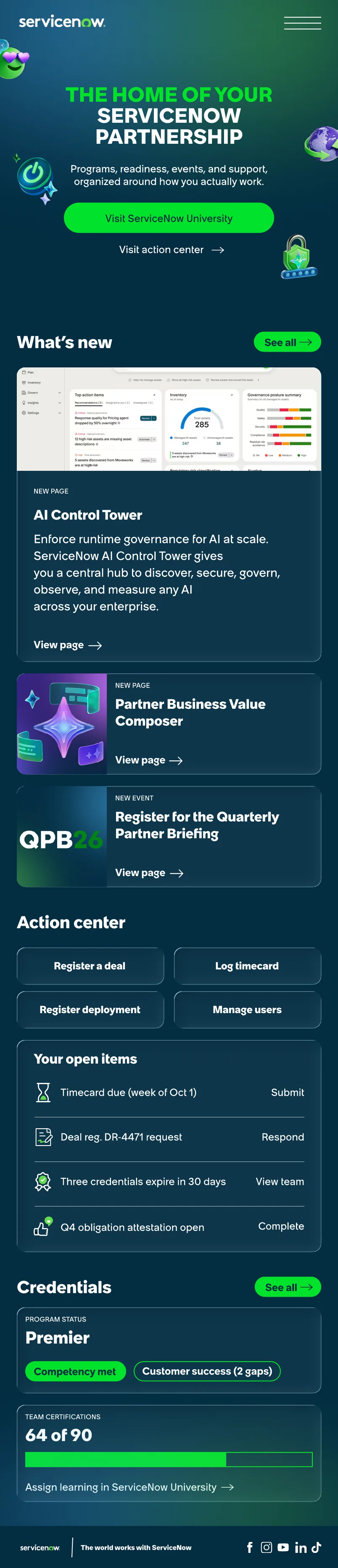
The home of your ServiceNow partnership
I rebuilt the information architecture and homepage of the ServiceNow Partner Portal, cutting the portal's highest-traffic tasks from three clicks to one for 2,700 partners.
- Role
- Product designer, IA and homepage
- Team
- UX research, engineering, creative, partner engagement
- Timeline
- 5 months, shipped Sept 25, 2026
- Tools
- Figma, HTML/CSS, ContentSquare
Problem
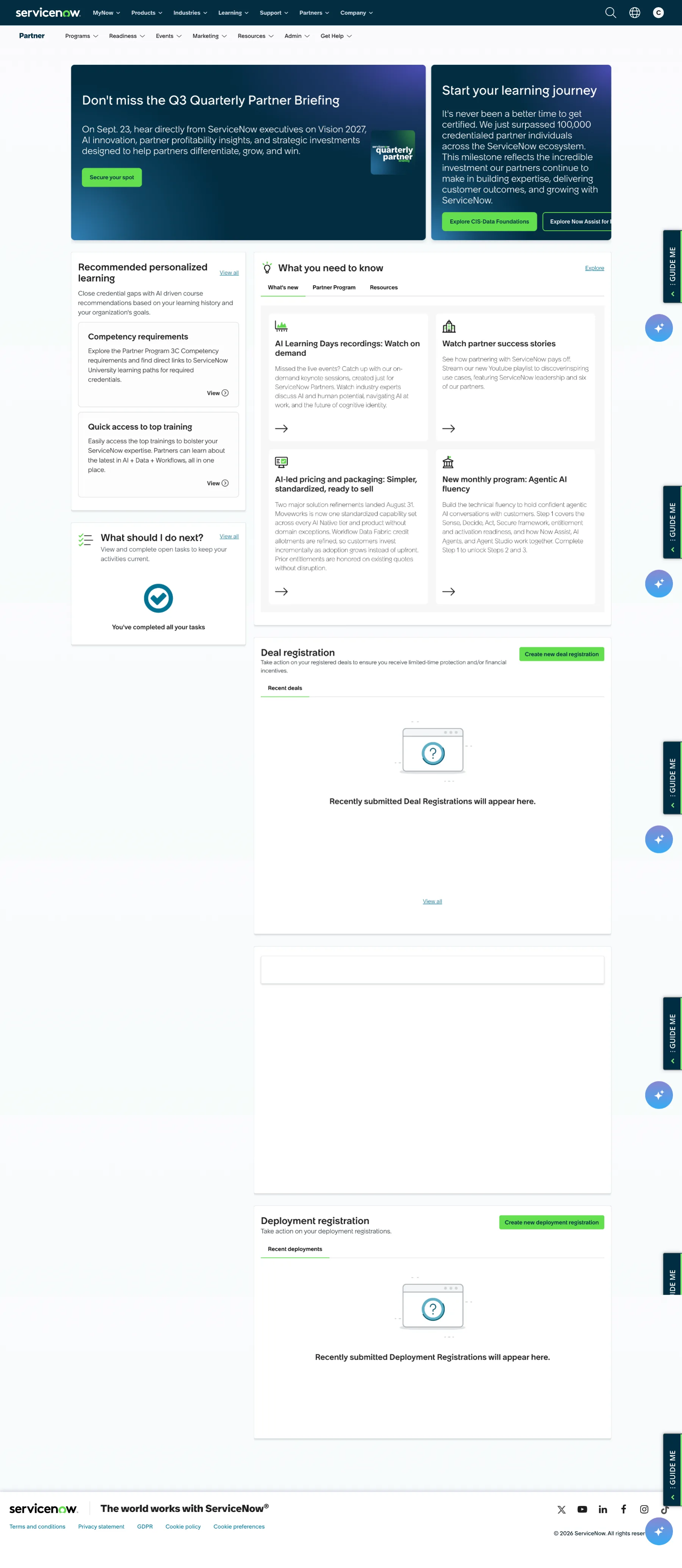
Partners came to get things done, and the portal was built for browsing. In testing, partners completed only 37% of core tasks against a ~78% industry benchmark. All ten of the most-visited pages sat three levels deep.
57% of visits were transactional, and 80 of 100 tracked sessions opened with a click on a task. Yet the homepage led with promotional cards, and deal registration sat below the fold.


My role
I owned the IA proposal and the end-to-end homepage design across desktop, tablet and mobile. I worked with a staff UX researcher, an engineer, our creative director and the director of partner engagement, and presented the work to 30 stakeholders across 13 teams.
Process
One navigation instead of two
Labels like Learning, Products and Resources appeared in both the universal ServiceNow nav and the partner nav. Relabeling can't fix that, because the labels will always compete. I proposed reducing the universal nav to a utility strip inside the authenticated portal.
Seven sections to four, three content doors to one
Programs alone carried 40,890 sessions across ten unrelated tasks, from deal registration to incentives. Readiness, Resources and Products all promised content with no boundary between them. I restructured around partner intent instead of internal program structure: My Partnership, Register, Resources and Grow. Resources absorbed all three content surfaces into one filtered destination.
Solution
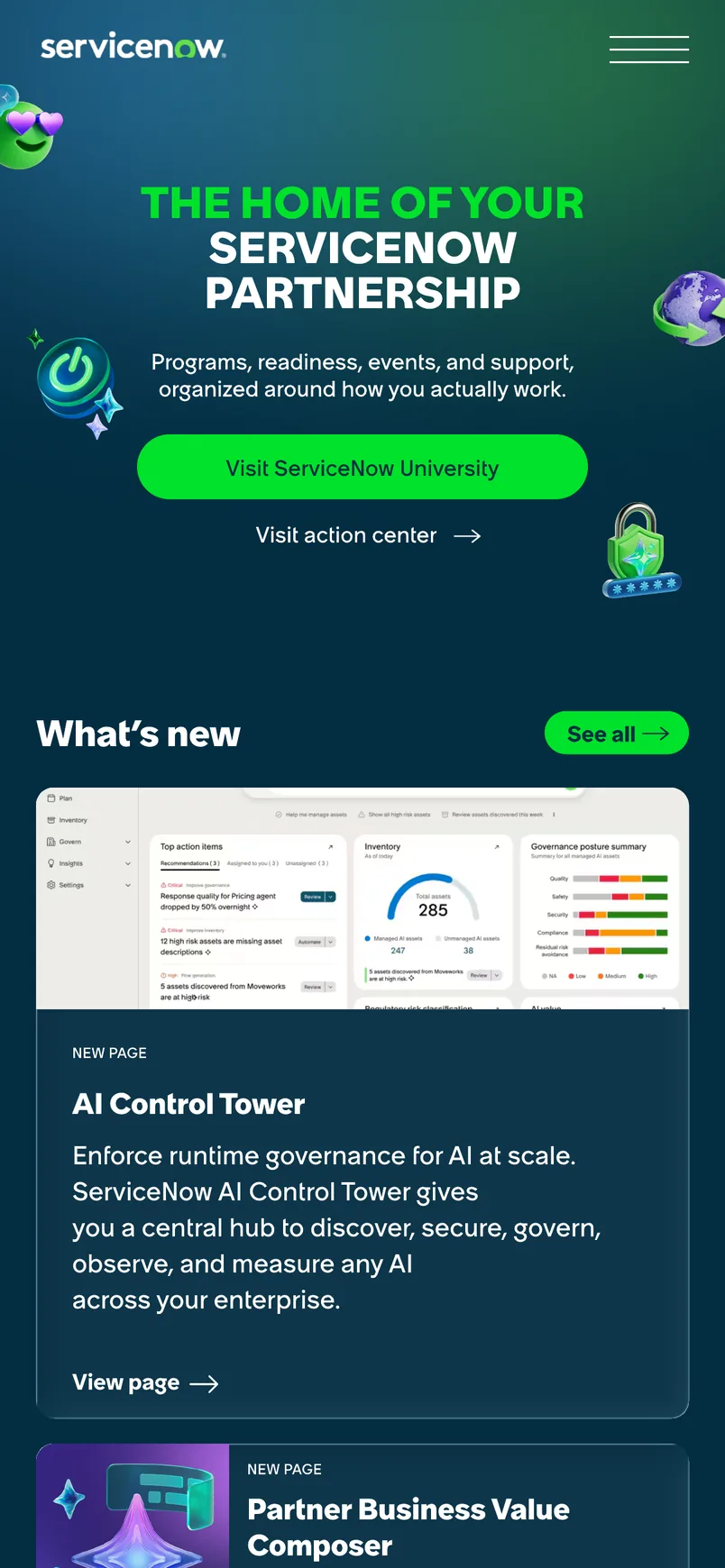
A queue, not a billboard
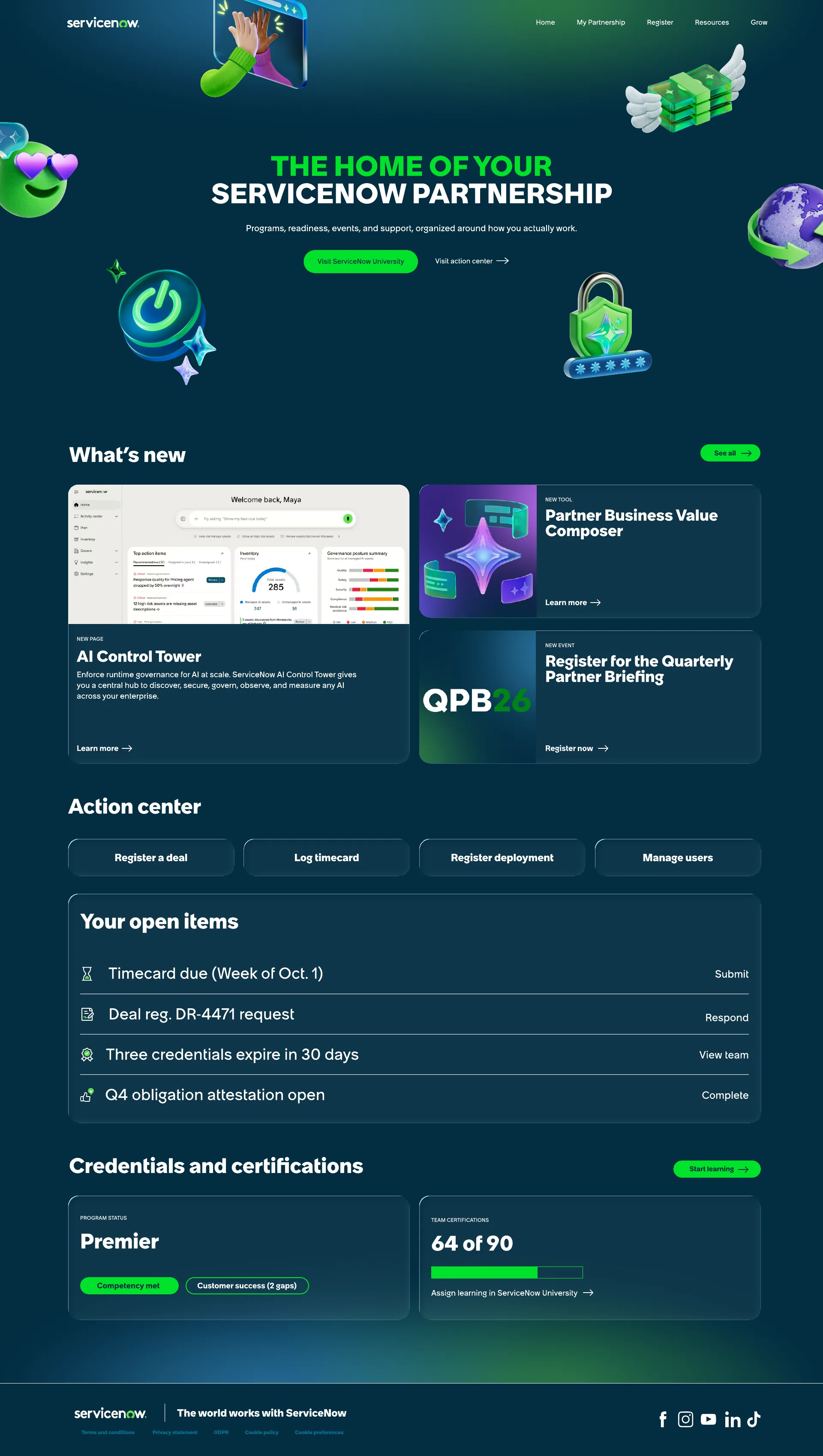
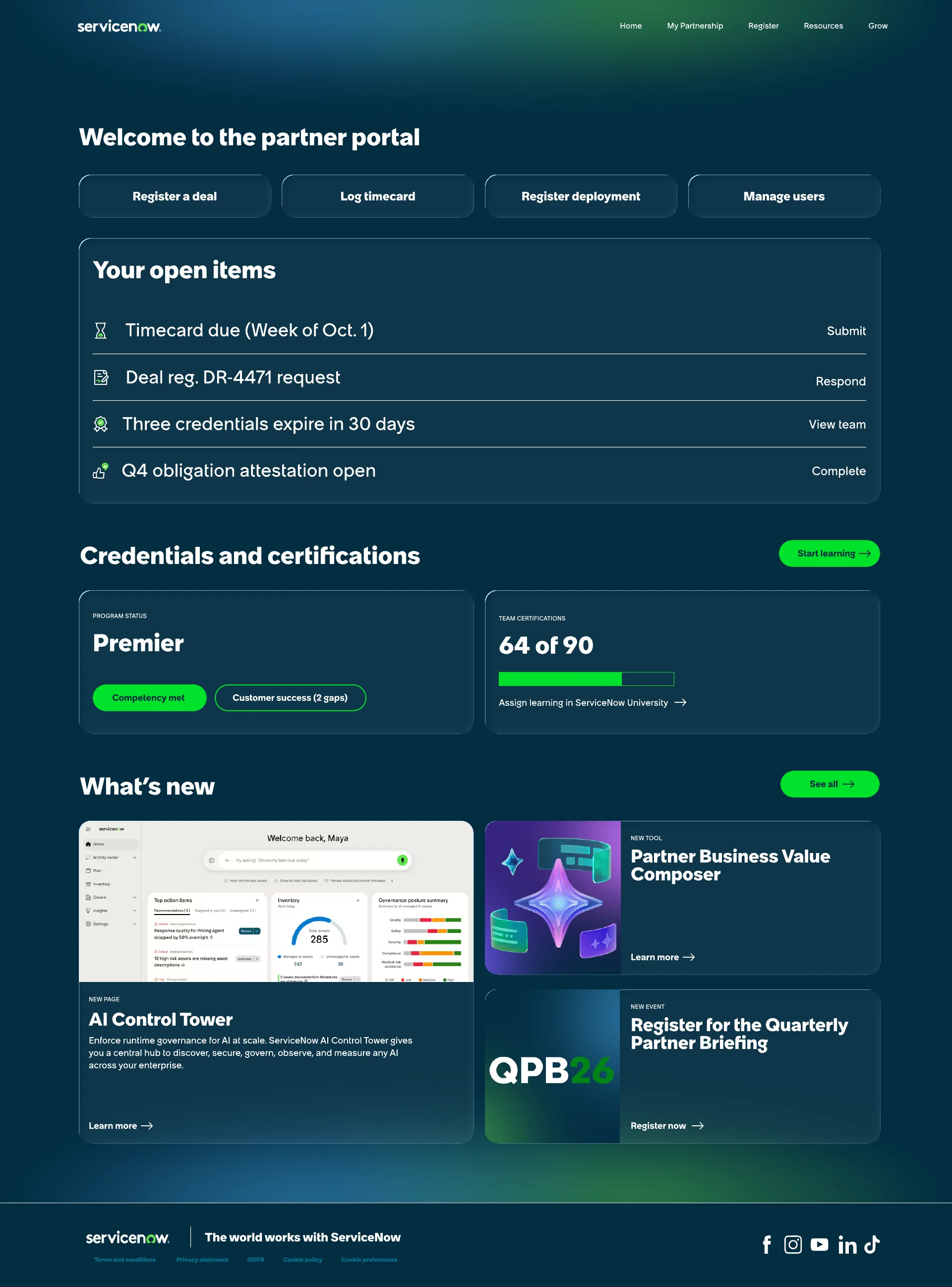
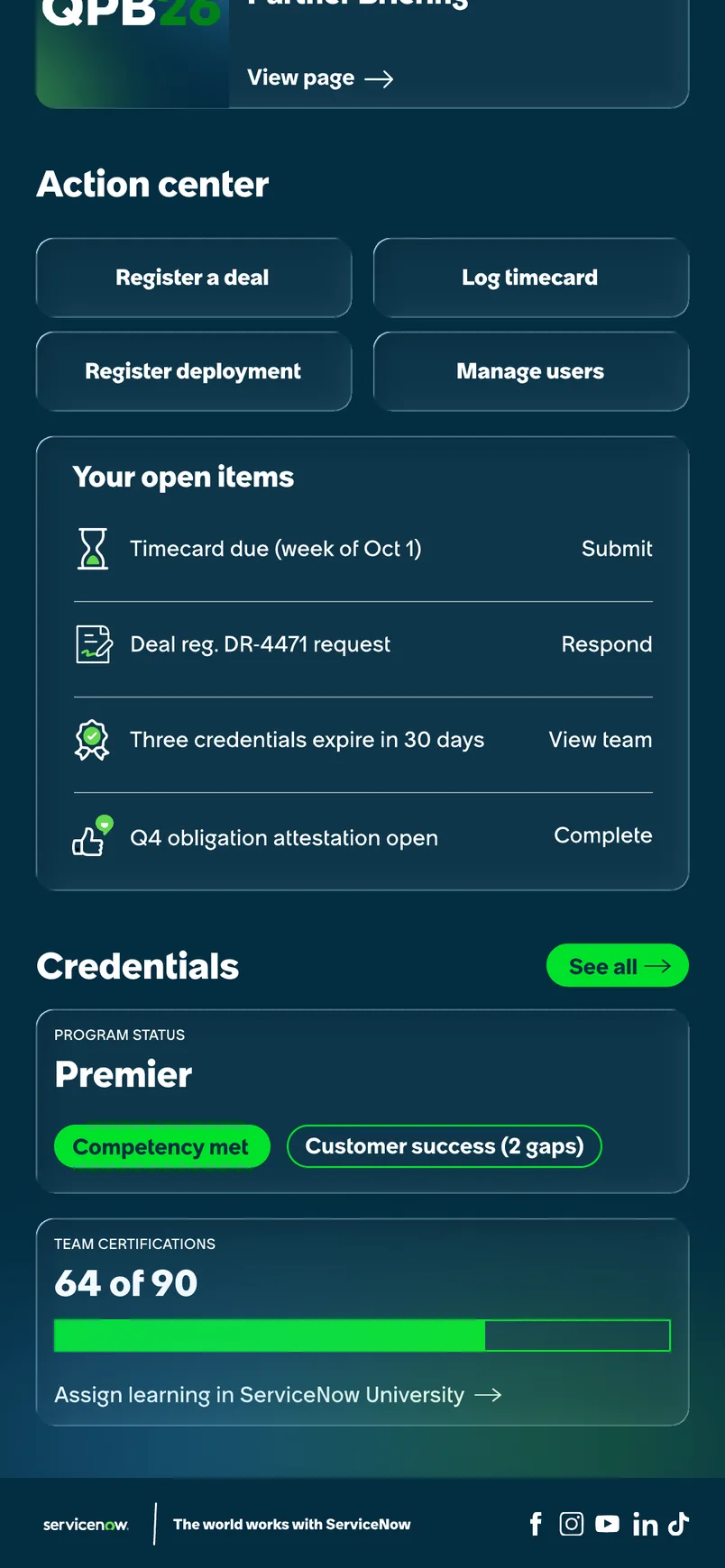
An action center puts the four highest-volume tasks one click from entry. An open-items list surfaces what each partner actually owes: timecards, deal registration requests, expiring credentials and attestations.
The hero stayed, because GPC needs a place to launch new pages like AI Control Tower. I argued it down from a rotating carousel to three static cards: a rotator promotes one page and buries two.
Impact
The redesign went live September 25 across desktop, tablet and mobile. Timecards and deal registration, the two pages carrying 10,500 sessions a quarter, dropped from three clicks to one.
| Structural change | Before | After |
|---|---|---|
| Navigations competing for the same tasks | 2 | 1 |
| Top-level sections | 7 | 4 + Home |
| Separate content surfaces | 3 | 1 |
| Clicks to log a timecard (7,483 sessions/qtr) | 3 | 1 |
| Clicks to register a deal (3,025 sessions/qtr) | 3 | 1 |
| Top-traffic tasks at level 3 or deeper | 10 of 10 | 0 of top 4 |
| Breakpoints designed | None | 3 |
Targets under measurement
Analytics are still accruing. Our researcher and I set the measurement plan before launch, so these are targets, not results yet:
- Tree-test task success: from the 37% baseline toward the ~78% industry benchmark
- PSAT ease of findability: toward GPC's 67% target
- Search as first click: down from 11% as navigation starts carrying the load